

Solitaire - Classic Card Games review
 Analysis by GetAllApps
I find a good solitaire game earns its place on a phone by making a familiar pastime easy to return to, not by surrounding it with noise. Solitaire - Classic Card Games, a free card game from Guru Puzzle Game, is aimed at exactly that sort of quick, low-pressure play. Its appeal is straightforward: deal a hand, look for a useful move, and take a break at your own pace. That simplicity can make it welcoming, though it also means the experience may feel too plain for players who want more variety or a strong sense of progression.
How comfortably the cards fit a phone screen
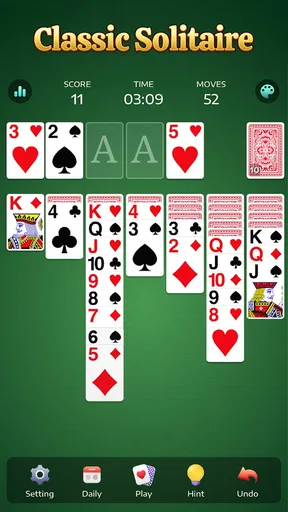
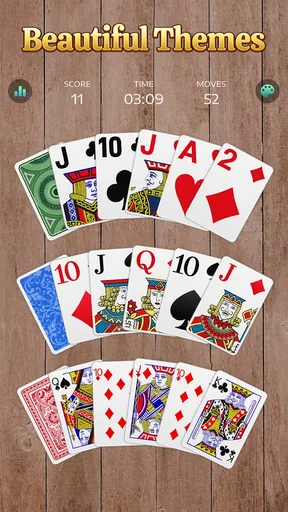
Solitaire depends on seeing ranks and suits at a glance, so the first practical question is whether the board feels legible on your own device. On a phone, card games can become a squinting exercise when the play area is crowded or the controls are hard to distinguish. Here, I’d treat screen size and personal eyesight as part of the decision: a larger display will naturally give the cards more room, while a compact phone can make close attention more important.
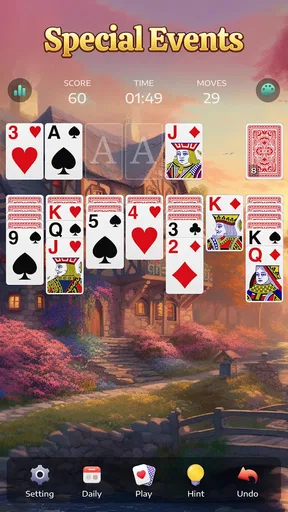
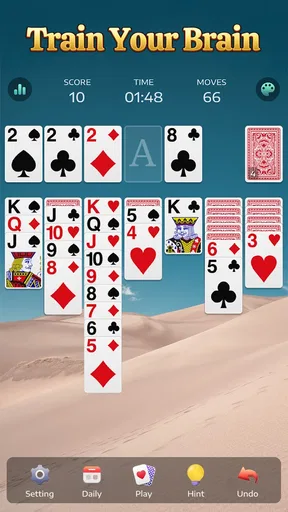
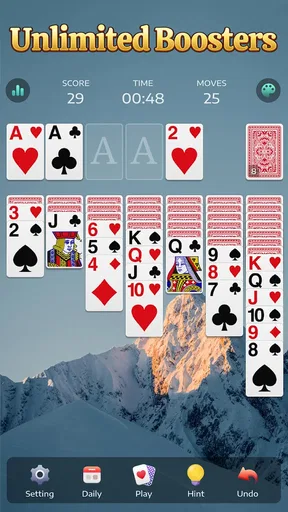
The basic layout is familiar to anyone who has played classic solitaire: you scan the tableau, identify a move, and work toward uncovering cards and arranging the piles. That familiar structure reduces the amount of learning needed before a session starts. I appreciate that most of the mental effort can go into the card puzzle rather than figuring out an unfamiliar interface.
Still, familiar rules do not automatically make every screen comfortable. If you often increase text size elsewhere on your phone, or rely on high contrast to separate small symbols, check the actual card display before settling in for a long session. Card ranks and suits carry essential information; if they are tiring to distinguish, the game’s otherwise simple design cannot compensate.
Navigation matters in a different way from card readability. Solitaire works best when starting a round and returning to play feel uncomplicated. The game’s classic focus helps keep the main activity clear, but I would not choose it expecting an elaborate hub full of modes, collections, or guided learning. Its strength is the direct route to a familiar pastime, not a broad menu of things to manage.
Good for a pause, less suited to a big campaign
I can picture using it while waiting for an appointment, taking a quiet break, or winding down before bed. A hand gives your attention a small, contained task: you can think through the visible cards, make a move, and stop when the moment is over. That makes it easier to fit into an ordinary day than a game built around long sessions or a plot you must keep track of.
There is a useful trade-off here. The lack of a complicated learning curve makes the game approachable, but players who need frequent novelty may run out of reasons to return. If what you enjoy most is testing different rule sets, competing with friends, or pursuing a long-term challenge, a more feature-rich card app could be a better match. This one makes more sense when the familiar solitaire routine is the point.
Touch, pace, and sensory comfort
Solitaire is a relatively calm kind of mobile play. It does not ask me to react to fast-moving action or coordinate complicated inputs; the main task is deciding which card to move and where. That slower rhythm can be a welcome option for people who prefer a game they can approach thoughtfully, without needing to keep pace with other players.
Touch interaction nevertheless creates its own friction. Cards are close together on a phone, and moving one with a fingertip can be less precise than using a mouse on a computer. I’d recommend taking an extra moment before a move if your fingers tend to land inaccurately, especially when several cards are packed into the tableau. A larger screen or a stylus may make card selection more comfortable for some people, but neither changes the need to see the cards clearly.
The game’s calm pace is also useful in shared or quiet settings: a short round can occupy your attention without demanding conversation or sound-based cues. If you are sensitive to visual stimulation, the best test is whether the card faces and overall screen feel comfortable over time. I would not assume that every sensory preference is covered simply because the rules are familiar and the play is unhurried.
One practical tip is to choose a setting where you can hold the phone steadily rather than trying to play while walking or juggling other tasks. Solitaire rewards scanning the whole board; hurried taps can interrupt that process and make an easy session feel needlessly fiddly. For a short break at a desk, on a sofa, or in a waiting room, the format is much more natural.
Where it fits among other solitaire choices
Compared with a standard solitaire game on a computer, this mobile version’s advantage is convenience: it is ready to play on a device you already carry. Compared with card games built around opponents, tournaments, or social features, its appeal is the solitary, self-paced puzzle. That difference is not a flaw, but it does define who is likely to enjoy it. If you want a shared activity, this is not the category I’d reach for first.
It also sits at the simpler end of the broader card-game field. A collectible-card game may offer deck-building and tactical variety, while a rummy-style game may make interaction with other players central. Classic solitaire instead asks you to work with the cards in front of you. I find that narrower focus refreshing when I want a quiet mental reset, but it can feel repetitive if I’m looking for changing objectives or new strategic systems.
A useful way to decide is to ask what you want from a card game today. If you want a familiar puzzle that does not require coordinating with anyone else, this is a sensible fit. If you want competition, instruction for a complete beginner, or a substantial sense of advancement, compare it with alternatives designed around those needs before committing to it as your main card app.
Small practical trade-offs before settling in
Because solitaire involves planning several moves ahead, interruptions can break your concentration even when a round itself is easy to understand. I’d use it for a pause where I can give the board a little attention, rather than as background entertainment while handling another task. That is a modest but real distinction: the game is low-pressure, not entirely mindless.
There is also the matter of spending. The game is free to download, with optional in-app purchases listed from $0.99 to $59.99 per item. That range is worth knowing before opening purchase screens, particularly if you prefer games with no paid extras at all. I would approach any optional purchase deliberately and check the price shown in the app before confirming; the free entry point does not mean every possible item is free.
The game is rated for Everyone, which makes its subject matter broadly suitable, but that rating is not a promise that the interface will suit every age, eyesight, or motor preference. For a child or older relative, I’d still have them try a round on the device they actually use. A familiar deck of cards is easy to understand, yet small touch targets and compact card faces can remain obstacles.
A popular classic, with sensible expectations
Solitaire - Classic Card Games has an average rating of 4.9 from around 731,000 ratings, and it has been installed over 50 million times. Those figures suggest that the straightforward formula reaches a large audience, but they do not tell me whether the display will feel comfortable on your phone or whether you will enjoy repeating the same kind of puzzle. I’d weigh those personal details more heavily than popularity.
It was released on April 25, 2021, and version 7.5.1-26092176 is the current version. The minimum operating system is Android 6.0. Those details are useful if you are checking compatibility on an older device, though a device meeting the minimum requirement is only the starting point for judging how smoothly and comfortably it plays in everyday use.
Guru Puzzle Game has built a product around a card pastime people already understand. That can be an advantage for someone who wants to begin without studying a rulebook, and a limitation for someone hoping the app will teach a broad range of card games. The review count—around 13,000—adds context to its established audience, but my recommendation remains based on the kind of play it offers: focused, familiar, and mostly self-contained.
Who I’d recommend it to
I’d suggest giving it a try if you like solitaire, want a private game you can pick up during a spare moment, and are comfortable reading cards on your phone. It is especially appealing when you want a quiet activity with no need to arrange a game with another person. A short session during a commute while seated, or a few hands during a break, makes more sense than expecting a deep, evolving game experience.
I’d steer you toward another option if you find compact card faces difficult to read, have trouble making precise taps, or prefer spoken guidance and clearly explained beginner lessons. I would also look elsewhere if you need multiplayer interaction, strong variety, or a game that gives you a fresh goal every time you open it. Those are reasonable preferences, not reasons to dismiss solitaire as a whole.
My overall view is that this is a solid choice for people who want the familiar card puzzle in a convenient mobile form. Its strongest inclusive quality is its unhurried, easy-to-understand style; its main caveat is that comfort still depends on your screen, vision, and touch accuracy. Try a brief session on your own device before making it part of your routine. If the cards are clear and the pace suits you, it can be a pleasant little mental break; if not, a larger-screen version or a different card game may serve you better.
Pros and cons
Pros
- Simple rules make it easy for beginners to get started.
- Undo options help recover from accidental moves.
- Daily challenges offer a reason to return regularly.
- Hints can help when you are unsure of your next move.
- Portrait play works well for one-handed use.
Cons
- Some deals may be impossible to win.
- Ads can interrupt play between rounds.
- Hints may reduce the satisfaction of solving a game alone.
- Small cards can be difficult to read on compact screens.
- Daily challenges depend on a steady internet connection.


